Add PawTrace to your home screen
No app to download. Just a shortcut to your pet's dashboard, so you can turn on lost mode the moment something feels wrong.
- 1
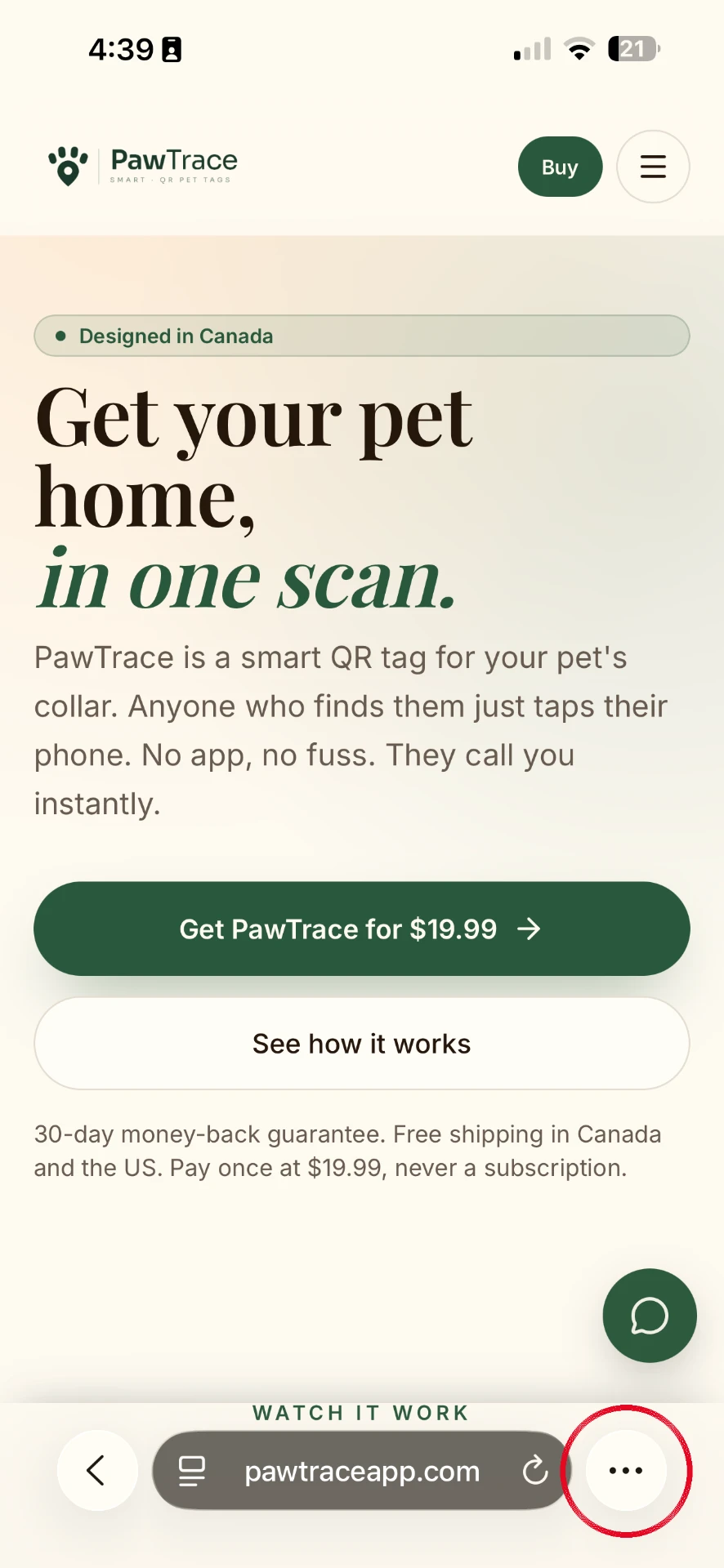
Open pawtraceapp.com in Safari.
- 2
Tap the ••• button at the bottom right of the screen.
- 3
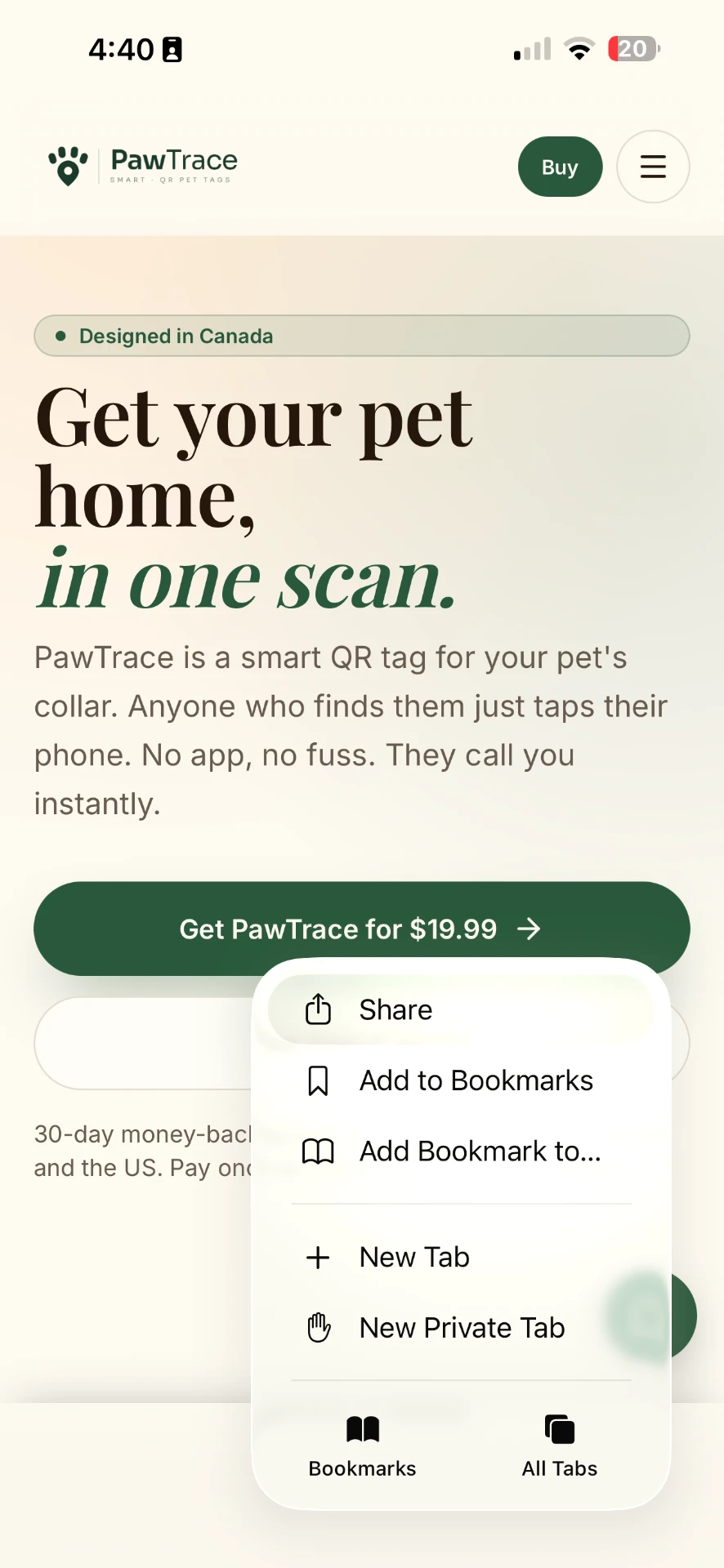
Tap Share.
- 4
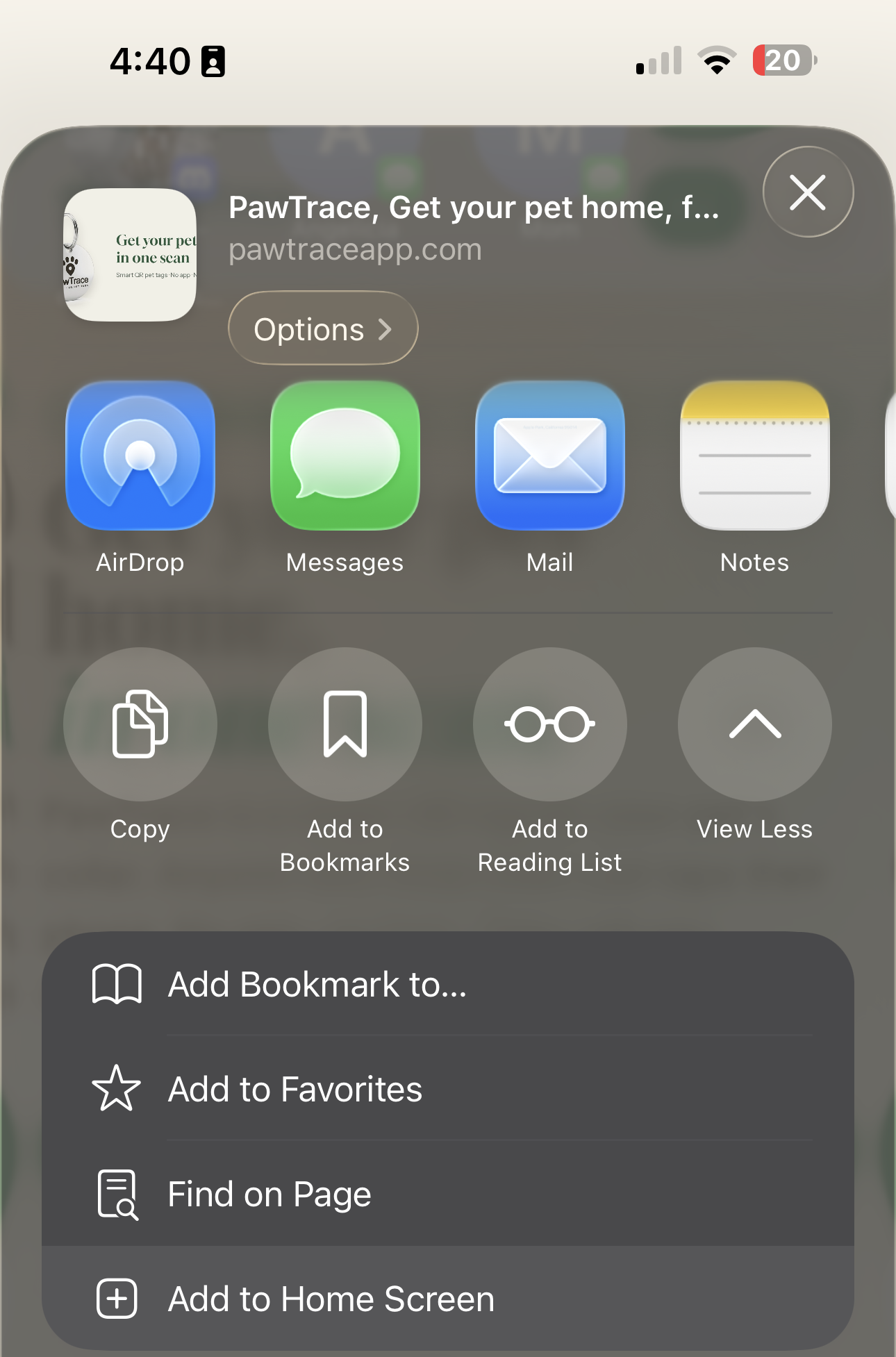
Tap "View More" if needed, then tap "Add to Home Screen".
- 5
Tap Add in the top right corner.
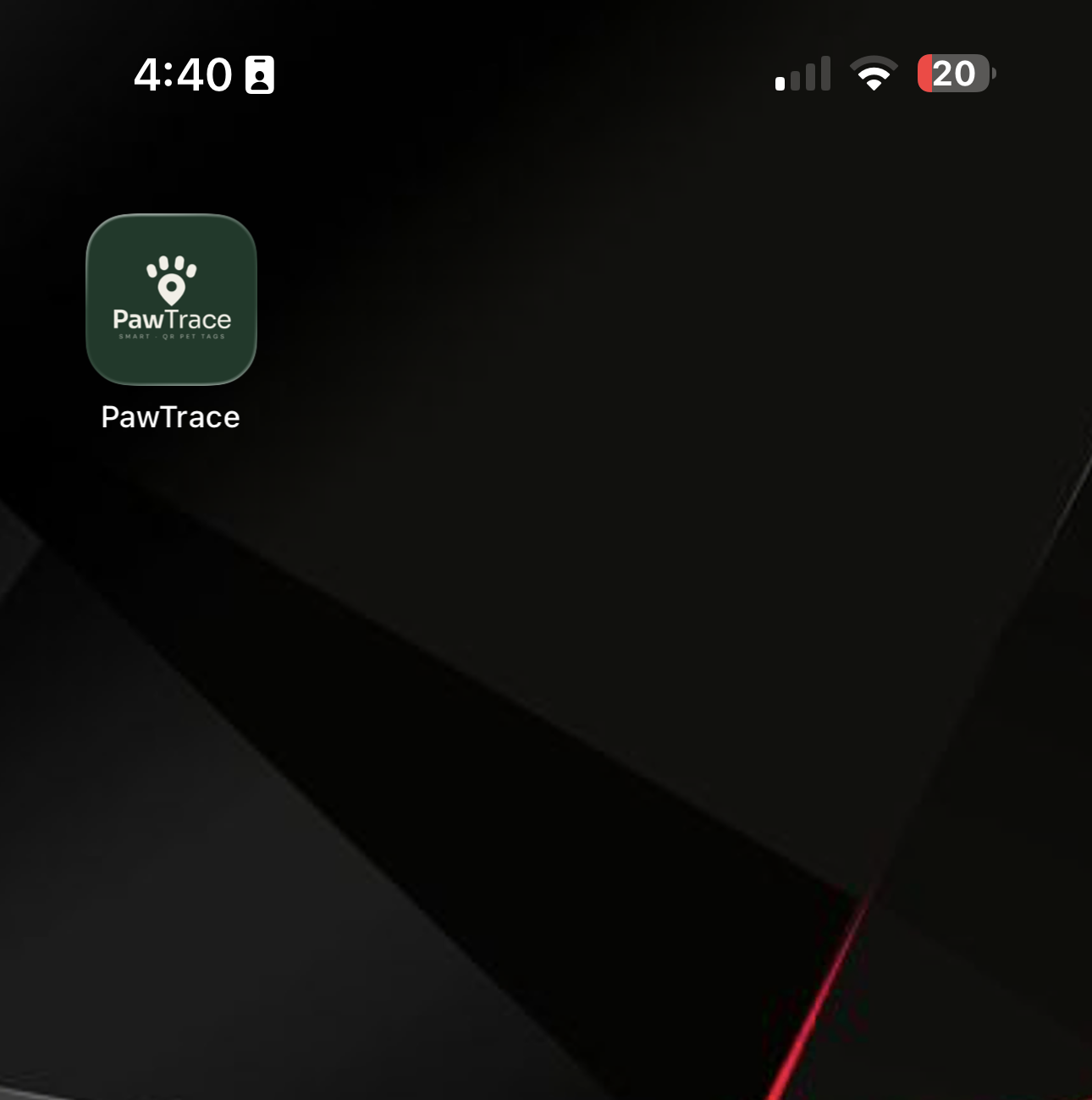
PawTrace is now on your home screen. Tap it anytime to check on your pet or turn on lost mode.
Using Chrome on iPhone? Tap the share icon in the address bar, then Add to Home Screen.